NOTE: The information below is provided for your convenience only and we cannot guarantee its accuracy. If necessary, please verify with us before purchasing.
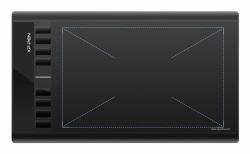
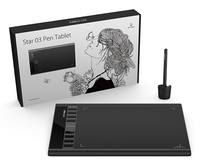
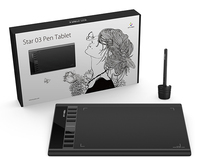
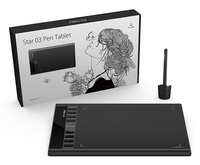
XPPen Star 03 V2 Large Drawing Pad260 x 170mm/10x6”, 8192 Levels, 5080 LPI, 266 RPS
Expand your creativity with the Star 03's expanded working area.
More room to work and draw.The Star 03 features a 10x6 inch working area for artists who need their space.
Enhancing performanceCapable of reaching 8192-levels of pressure sensitivity and 266RPS report rate, providing you with precise accuracy and quick response to draw and paint naturally with smooth, enhanced, performance.
Advanced battery-free stylus---convenient for both you and the environment.The P01 stylus is outstandingly ergonomic, allowing you to draw as smoothly as with a paper and pencil. The stylus does not require batteries or charging---no clumsy cords or extra costs.
Fully customizable shortcut keys.8 convenient shortcut keys minimize the need to use an external keyboard for common functions and keystrokes.
Draw and create smoothly and accurately.The Star 03's automatic line correction, intelligent anti-shake function, and 8192 pressure levels come together to provide a comfortable, stress-free drawing experience.
Enhance your Chromebook experienceYou can now use Chrome OS on your XPPen Star 03 V2, allowing you to write and create digitally effortlessly. You can then share and collaborate with teachers and classmates, creating an interactive class atmosphere even in a virtual learning environment. The stylus offers the functionality of a standard mouse, meaning that you can write, edit, draw and navigate on your Chromebook with ease.
Compatible with most operating systems and applications.Our drivers work with Windows 7 (or later), Linux (Detailed versions), Mac OS X® 10.10 and above, and Chrome OS 88.0.4324.109, and all major graphic applications such as Photoshop®, Painter®, Adobe® Illustrator®, etc.