Lindy 4 Port HDMI 4K60, USB 3.0 and Audio KVM Switch

MPN: 39313
Quick Code: B47799960
(4 Port HDMI 4K60, USB 3.0 & - Audio KVM Switch)
🔍
Lindy 4 Port HDMI 4K60, USB 3.0 and Audio KVM Switch
Product Image 1 Product Image 2 Product Image 3 Product Image 4 Product Image 5 Product Image 6 Product Image 7 Product Image 8 Product Image 9
Note: Image accuracy is not guaranteed. Please do not rely solely on the image for your purchase.

📹 View Product Demo

€181.16
€219.20 inc. VAT
All products on this website are available duty-free in the EU
Overseas Customers with EU-VAT number do not pay VAT. - Verify it here
Quick Code: B47799960
MPN: 39313
Manufacturer: Lindy
EAN Code: 4002888393133
💰 Get €1.32 Cash Back if paying by Debit Card or Bank Transfer!
📧 Request More Info

Have questions? Need a quote?

Contact Us
📬 Notify me when price drops
NOTE: The information below is provided for your convenience only and we cannot guarantee its accuracy. If necessary, please verify with us before purchasing.

Lindy 4 Port HDMI 4K60, USB 3.0 and Audio KVM Switch4 Port HDMI 4K60, USB 3.0 and Audio KVM Switch

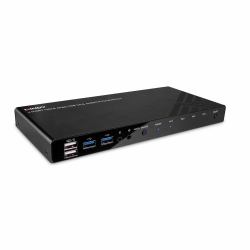
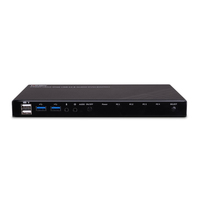
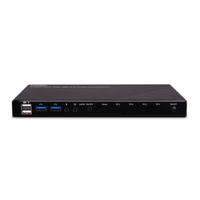
The Lindy 4 Port HDMI 4K60, USB 3.0 and Audio KVM Switch is a compact solution for providing access and control over four HDMI equipped PCs from a single keyboard, mouse and monitor setup.

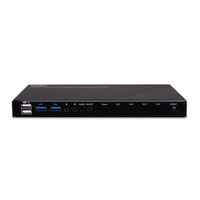
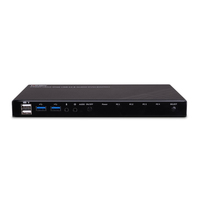
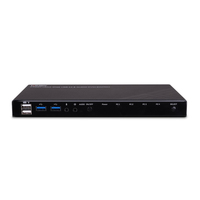
Support for resolutions up to 4K Ultra HD 60Hz ensures the highest image quality, perfect for demanding graphical content in gaming setups, video editing or quad system control workstations. The additional support for High-Dynamic Range ensures video content can be seen with enhanced brightness, greater contrasts and a much wider colour gamut. The audio output ports on the main unit also allow users to connect headphones or speakers to add immersive 2CH audio and a microphone, pressing the Audio On/Off button on the front panel mutes these devices. These ports are not connected to the HDMI signal but to a built-in USB converter while two additional USB devices such as printer, scanner or hard drive can be connected to the USB 3.0 ports on the front panel.

The KVM switch features two switching options including push buttons on the unit and keyboard hotkeys provide simple, reliable control for the user, great for both professional and first time users.