No customs fees! Products from within the EU
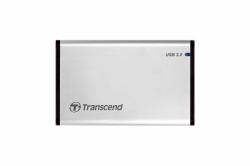
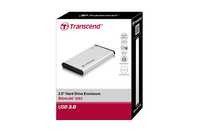
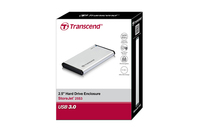
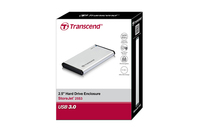
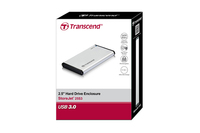
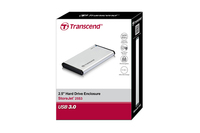
Transcend 2.5” SSD/HDD Enclosure
MPN: TS0GSJ25S3
Quick Code: B1814753
(StoreJet 25S3 housing 2,5 - StoreJet 25S3, 2.5", Serial - ATA, 5 Gbit/s, Silver - Warranty: 12M)
Note: Image accuracy is not guaranteed. Please do not rely solely on the image for your purchase.
€29.91
€36.19 inc. VAT
All products on this website are available duty-free in the EU
Overseas Customers with EU-VAT number do not pay VAT. - Verify it here
PLEASE NOTE: there is a 19 day lead time on dispatch for this item.
Quick Code:
B1814753
MPN:
TS0GSJ25S3
Manufacturer:
Transcend
EAN Code:
💰 Get Cash Back if paying by Debit Card or Bank Transfer!
NOTE: The information below is provided for your convenience only and we cannot guarantee its accuracy. If necessary, please verify with us before purchasing.
Transcend 2.5” SSD/HDD Enclosure2.5" SSD/HDD Enclosure, micro USB, USB 3.1 Gen 1, SATA III 6Gb/s
The 2.5" SSD/HDD Enclosure is a stylishly designed aluminum case that can house any 2.5-inch SATA hard drive or solid state drive up to 9.5 mm in height. With a USB 3.1 Gen 1 interface, the StoreJet 25S3 is perfect for uploading, downloading, storing, transferring, and backing up vital data including media-rich content like movies, photos, music, and games.Reuse your old drive
What do you do with that old hard drive you took out of your laptop? Don't throw it away, reuse it! This sturdy aluminum case can house any SSD/HDD up to 9.5 mm in height for use as an external drive.
UASP supported
Thanks to UASP (USB Attached SCSI Protocol), Transcend’s 2.5” SSD/HDD Enclosure offers transfer speeds faster than those offered by the traditional USB 3.1 Gen 1 interface when used with a UASP-enabled device.
One touch easy backup
Transcend's 2.5” SSD/HDD Enclosure features a one-touch backup function to synchronize files and folders with just one touch. Download Transcend Elite software from our website to manage your data more effectively!
Note: Transcend Elite software is required for this feature.
Easy installation
The installation process is so easy and dummy-friendly, that you can be no engineer and still finish it in minutes. Just follow the steps below.
1. Unscrew the lid.
2. Take out the SATA adapter.
3. Connect the SATA adapter to the drive.
4. lace the drive into the enclosure.
5. Plug and play!